Home / NextLevelLabs
Early access · Experimental
NextLevelLabs: crop the view, lock 90 FPS, add frame generation
An experimental Windows tool for VR sim racing, built by Next Level Sim Gaming. It sits between the game and your headset and gives you FOV crop, supersampling, a 90 FPS lock, frame generation, foveated rendering and OBS output from one control app.
At a glance
- Fully digitally signed with Certum.
- Built with anti-cheat in mind. Safe FG for Easy Anti-Cheat games, and risky features off by default where they matter.
- Per-game profiles for iRacing, Assetto Corsa EVO, Automobilista 2, Le Mans Ultimate, Assetto Corsa Competizione, Assetto Corsa, RaceRoom, openRBR and F1 25.
- Designed and tested primarily on Pimax headsets, detected automatically.
What it does
Every VR headset renders a tall, wide picture for each eye, and most of it is roof lining and your own knees. NextLevelLabs lets you crop the field of view, shrinks the render size to match and puts the saving back into sharpness. Then it adds the tools to hold a steady 90 FPS. Here is each tab of the control app.
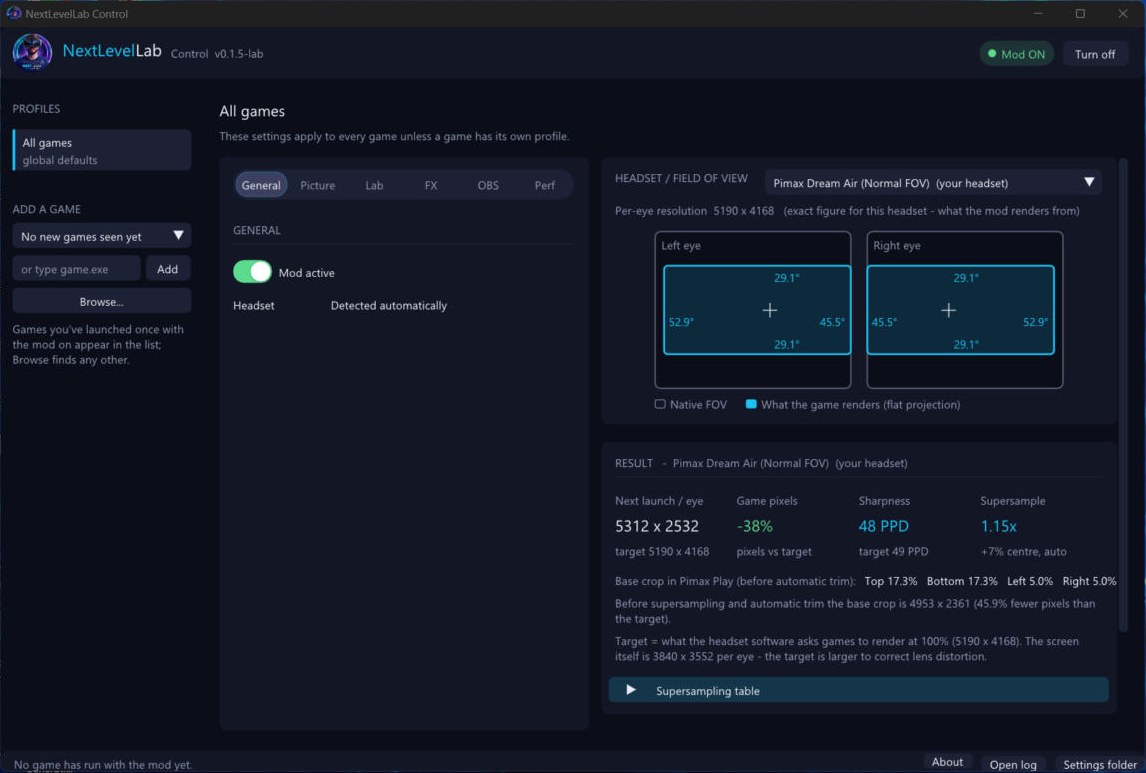
General: one place for every game
Switch the mod on, add a game or browse for any other, and give each game its own profile. The headset and field of view diagram shows the exact per-eye resolution it renders from.
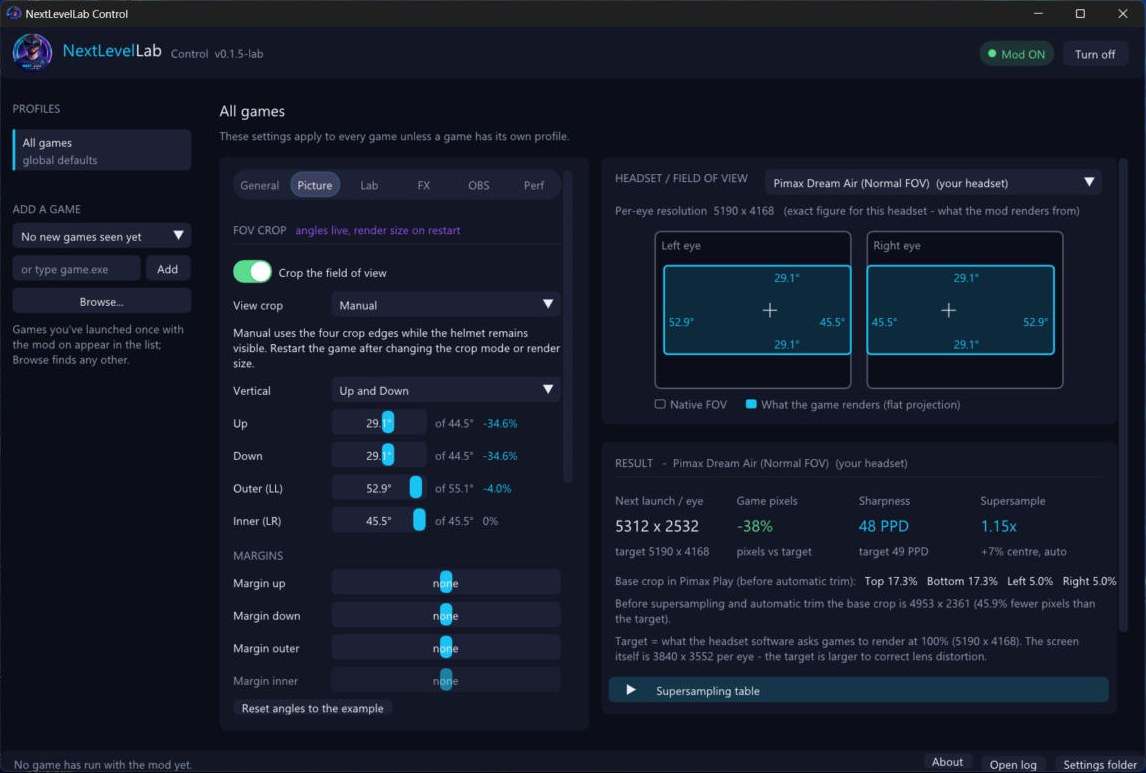
Picture: crop the field of view
Set how far up, down, outward and inward the view goes. The angles change live and the render size follows on the next game start, so the GPU stops drawing pixels you never see.
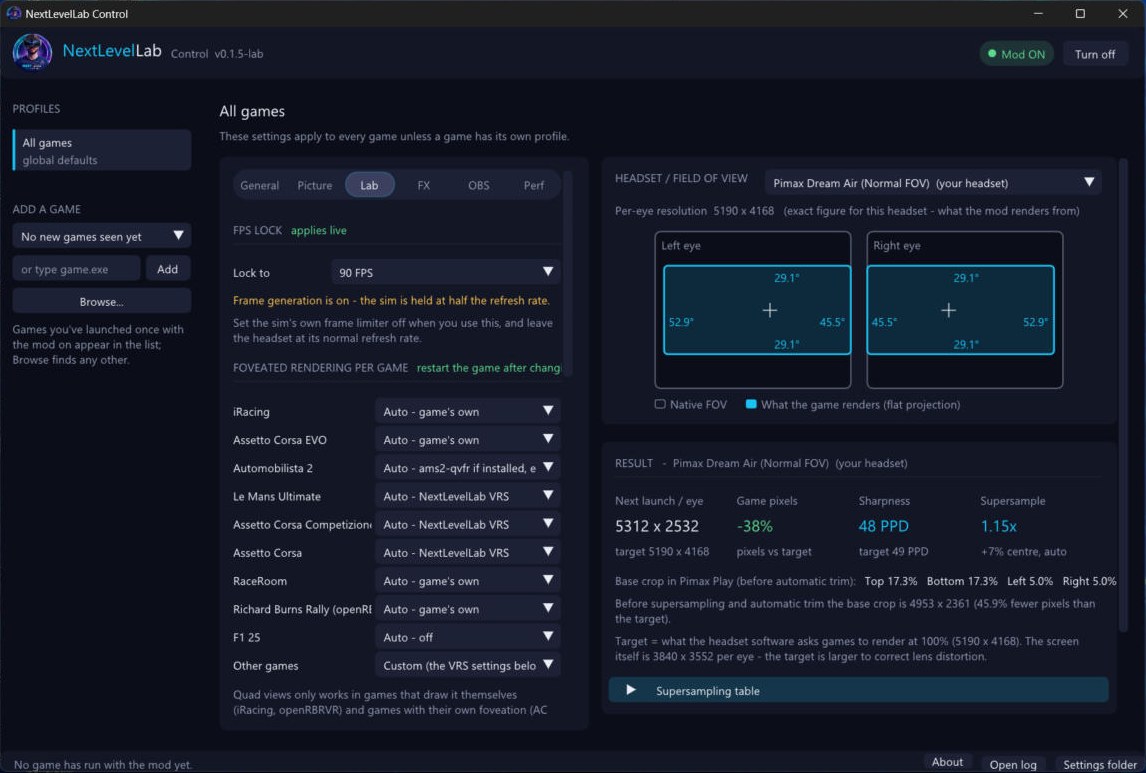
Lab: 90 FPS lock, frame generation and foveated rendering
Lock the sim to 90 FPS, switch on frame generation, and choose foveated rendering for each game, either the game's own or NextLevelLab's VRS. With frame generation on, the sim is held at half the refresh rate, so leave the sim's own frame limiter off.
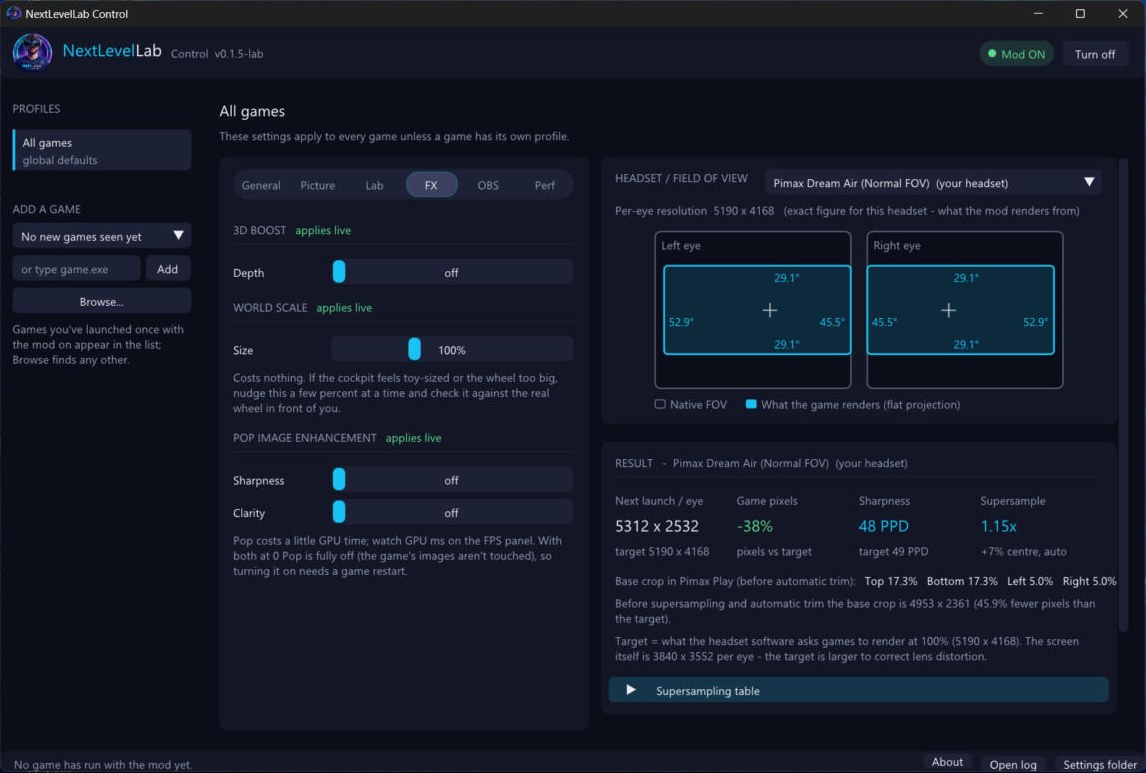
FX: depth, world scale and image enhancement
3D Boost adds depth, World Scale nudges the cockpit size a few percent at a time, and Pop sharpens the picture with Sharpness and Clarity controls.
OBS: Creator Mode
Send what you see in the headset straight into OBS as a flat, centred picture. Choose the picture size, field of view, smoothing and which eye, and include the FPS panel if you want it on stream.
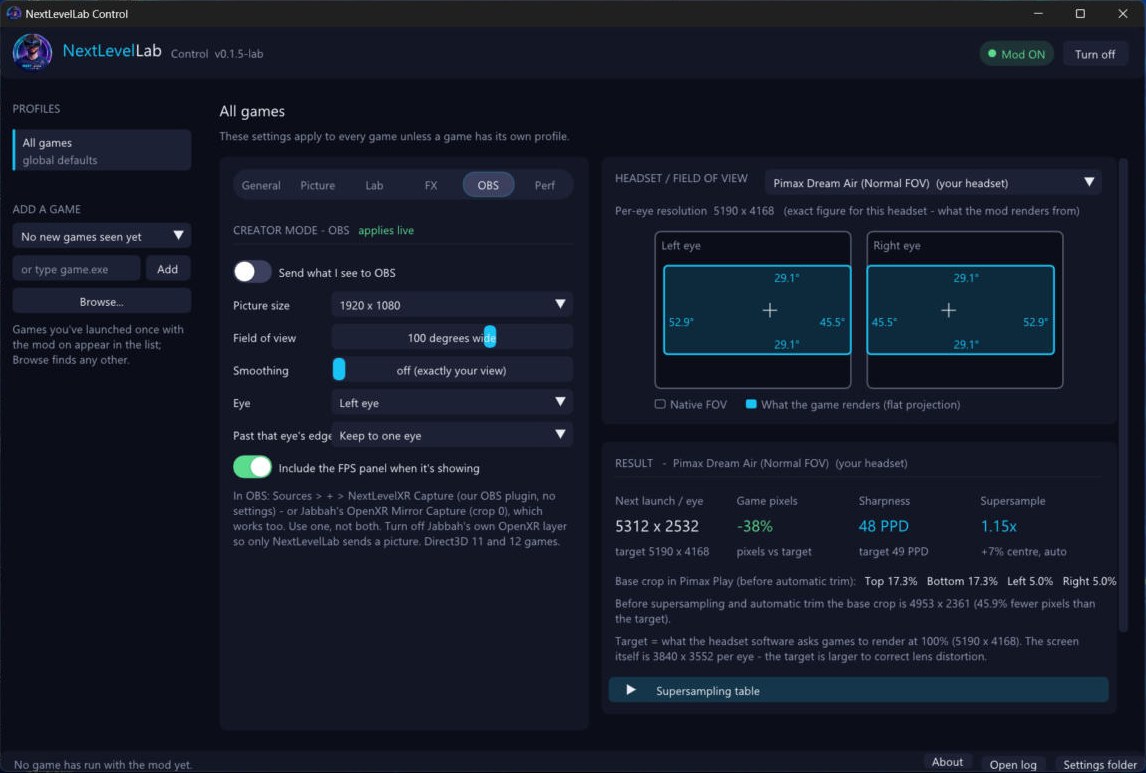
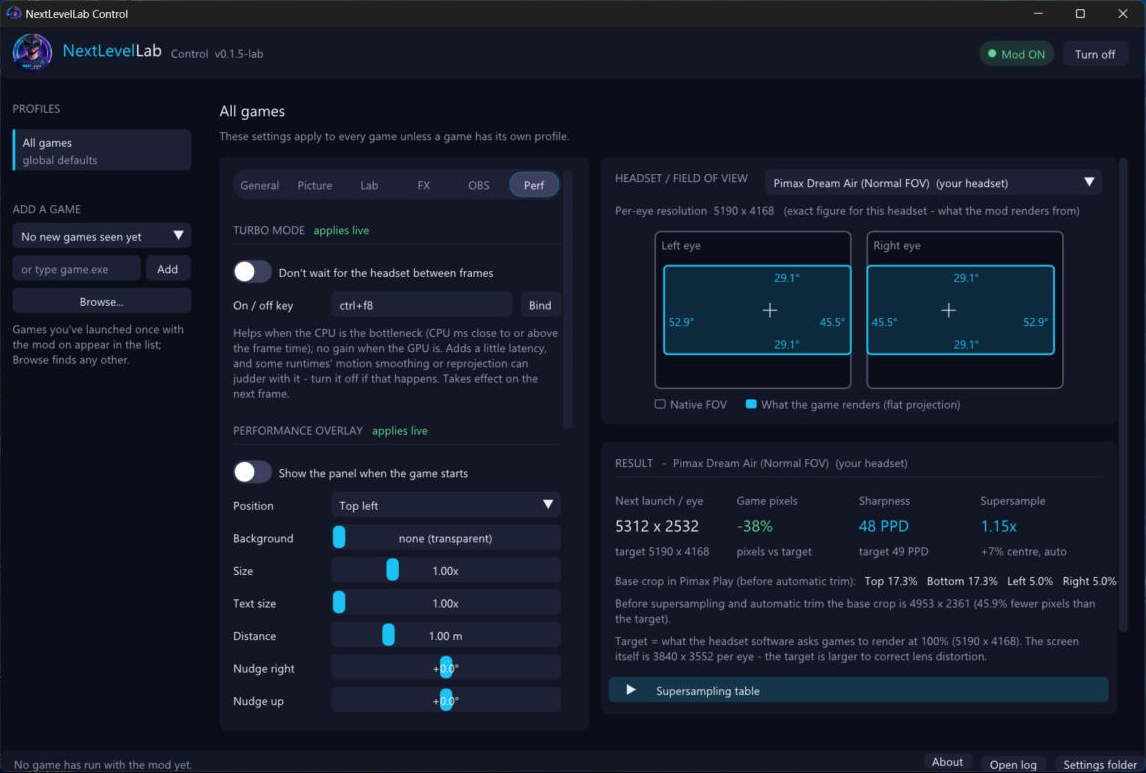
Perf: Turbo mode and the performance overlay
Turbo mode stops the game waiting for the headset between frames, which helps when the CPU is the bottleneck, with its own on/off hotkey. The performance overlay can be placed, sized and made transparent to suit your view.
What testers are saying
NextLevelLabs went to supporters, donors and affiliates for early testing. These are real posts from the NextLevelLabs feedback channel on the Discord.

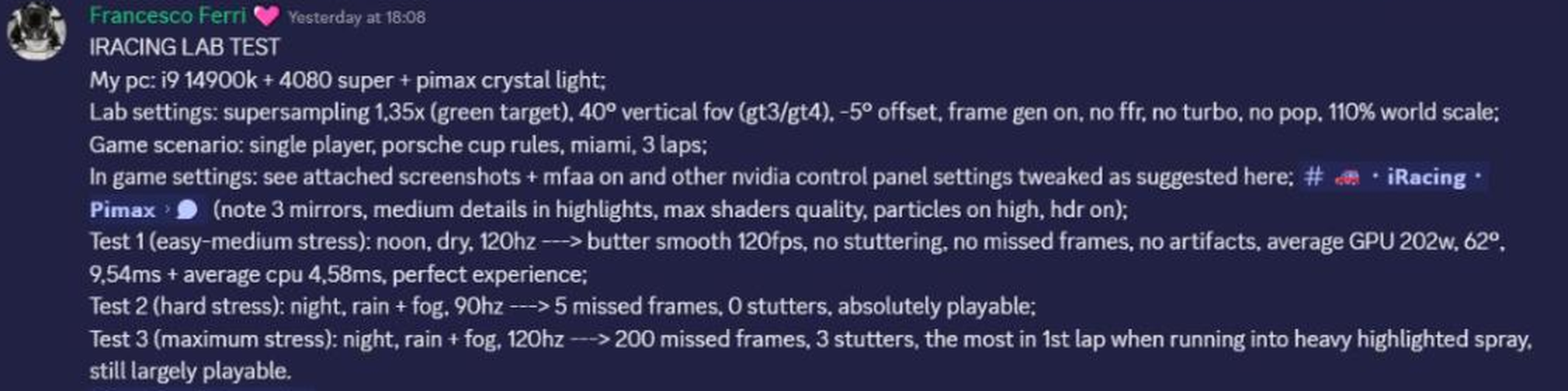

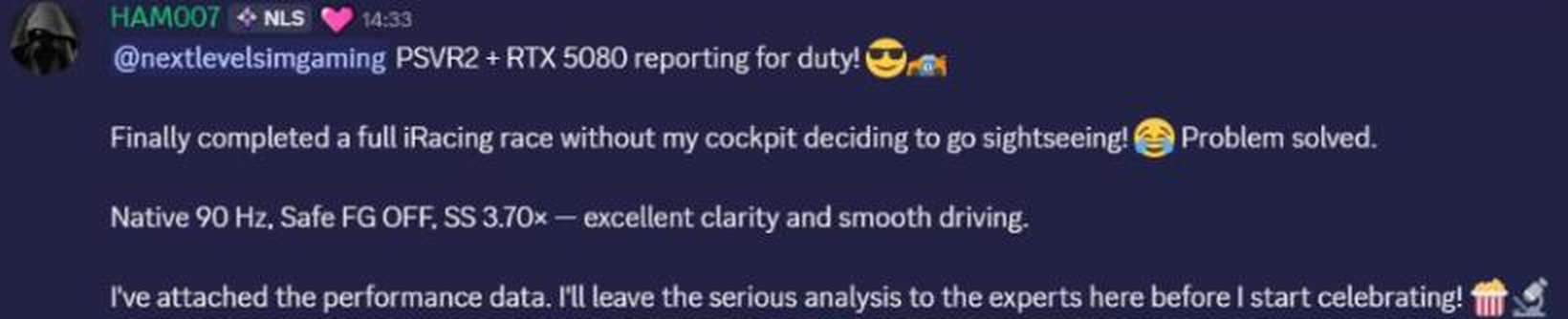
Results vary with the game, the headset and the settings, and not everyone gets on with frame generation. The next section says why.
Fully signed with Certum

NextLevelLabs is fully digitally signed with Certum, so Windows can see exactly who published it and that it has not been changed since. It is the same signing used across the Next Level Sim Gaming tools.
Anti-cheat
NextLevelLabs is built with anti-cheat in mind. Frame generation has a Safe FG mode designed for games that run Easy Anti-Cheat, and the foveated rendering switch is off by default for Le Mans Ultimate for exactly that reason. A supporter ran iRacing and Le Mans Ultimate and held a solid 90fps in both.
Test offline first
Every anti-cheat system is different, and Le Mans Ultimate online play is still waiting on Easy Anti-Cheat whitelisting with Motorsport Games. In any anti-cheat game, test NextLevelLabs offline before you take it into a race.
Honest limits
- Frame generation holds the sim at half the refresh rate. On a 90 Hz headset the sim runs at 45 real frames. Some people notice track objects stepping, so try it with and without.
- No helmets. Helmet views are in NextLevelXR. NextLevelLabs is a separate experimental product, and what proves itself here is folded into NextLevelXR.
- Foveated rendering for Le Mans Ultimate needs an NVIDIA card.
- Quad views only work in games that draw them. It can't be added to a game that doesn't, such as Le Mans Ultimate.
- Pimax first. It is designed and tested primarily on Pimax headsets.
How to get it
NextLevelLabs is released early to Supporters, Donors and Affiliates. Join the Next Level Sim Gaming Discord and find it in the Downloads section, where the full PDF guide is too. Post your results, settings and what you tested on in the NextLevelLabs feedback channel, and report crashes with your log in the beta testing channel.
- Turn NextLevelXR off first (Turn off, top right of its app).
- Close the game and run the NextLevelLabs installer.
- To update, run the newer installer straight over the top. There is no need to uninstall the old version.
Current version: 0.1.5-lab. Developed by Next Level Sim Gaming and Elhydro, with ShenronZero, pspsps195 and zoolander83.
Questions
What is NextLevelLabs?
NextLevelLabs is an experimental Windows tool for VR sim racing. It sits between the game and your headset and gives you FOV crop, supersampling, a 90 FPS lock, frame generation, per-game foveated rendering and OBS output, all from one control app.
How is it different from NextLevelXR?
NextLevelLabs is a separate experimental product, not the next version of NextLevelXR. It is where the riskier features (frame generation, foveated rendering, quad views support) get tried on a short leash. The ones that prove themselves are folded into NextLevelXR properly. NextLevelLabs has no helmets.
Can I run it with NextLevelXR?
Not at the same time. Turn NextLevelXR off first (the Turn off button, top right of its app), then install and use NextLevelLabs. Use one FOV-cropping tool at a time or the picture gets cropped twice.
Is it fully signed?
Yes. NextLevelLabs is fully digitally signed with Certum.
Is it anti-cheat safe?
It is built to be. Safe FG is the frame generation mode designed for Easy Anti-Cheat games, and the foveated rendering switch is off by default for Le Mans Ultimate for the same reason. Test offline first in any anti-cheat game before you race online with it.
Which headsets does it work with?
It is designed and tested primarily on Pimax headsets, with the headset detected automatically. The 120 Hz feature was added for the Pimax Crystal Light. Other headsets such as Quest 3 and PlayStation VR2 are not officially tested, though supporters have reported good results.
How do I update?
Close the game and run the newer installer straight over the top. It upgrades in place, so there is no need to uninstall the old version first.
Where do I get it?
NextLevelLabs is released early to Supporters, Donors and Affiliates. Find it in the Downloads section of the Next Level Sim Gaming Discord, with the full PDF guide.
Try NextLevelLabs
Join the Discord, open the Downloads section and read the guide. Tell us what you tested on.